Rynoh Software Bundle Release Notes
Release: March 4, 2026
New Features
Rynoh FinCEN
Enhanced Tracking for Reportable Files
Files identified as reportable can now be manually marked as “Reported” for improved tracking and operational accuracy. Once a file is marked as reported, it will automatically be removed from the Morning Report list of reportable files, ensuring teams only see items that still require action.
How to Mark a File as Reported
Users can now update a file’s status through two methods:
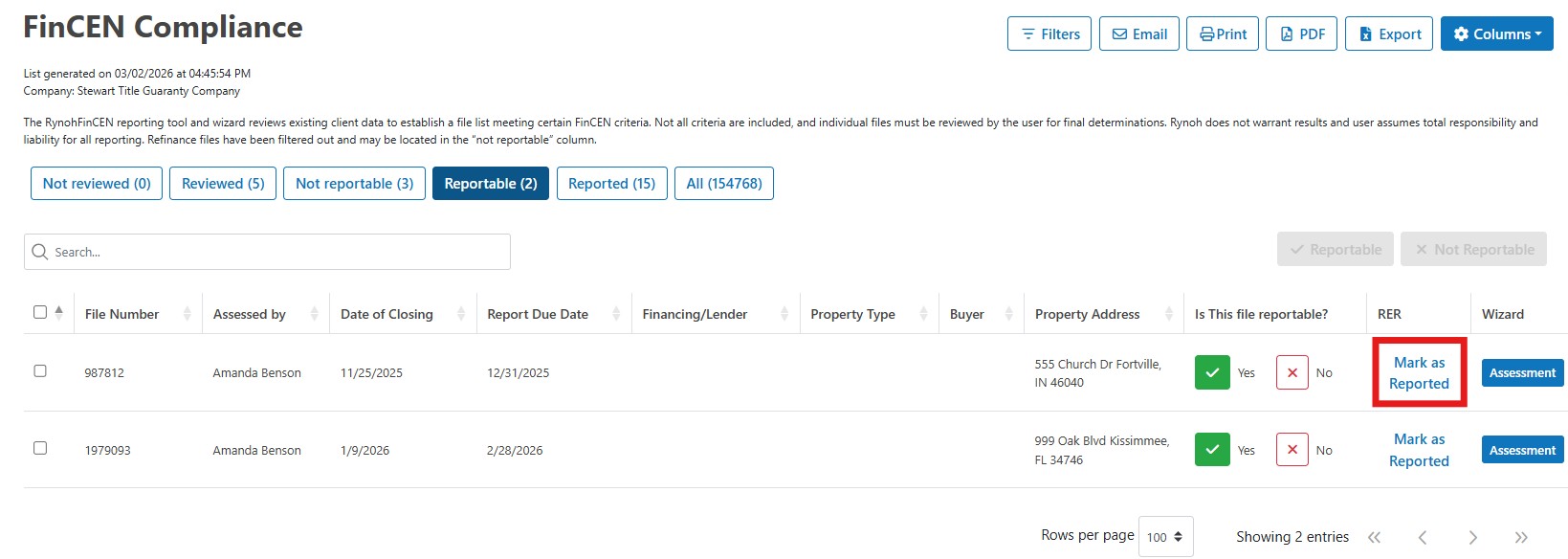
- From the Reportable Tab
- Navigate to the Reportable tab.
- Locate the file and update its status directly from the RER column.
- From the Assessment
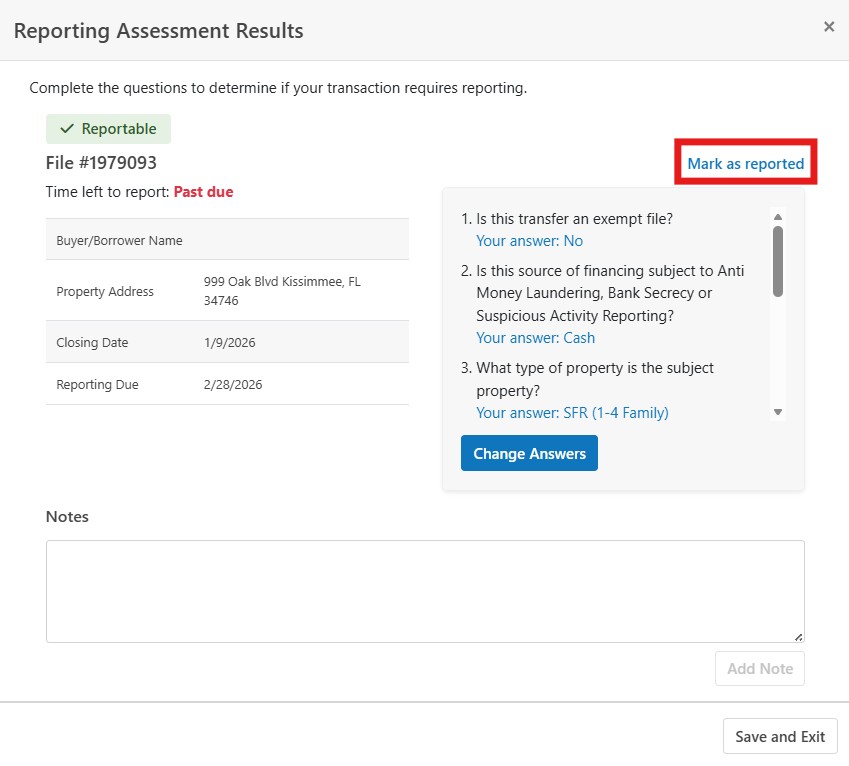
- Open the specific file’s Assessment page.
- Select the option to mark the file as Reported.
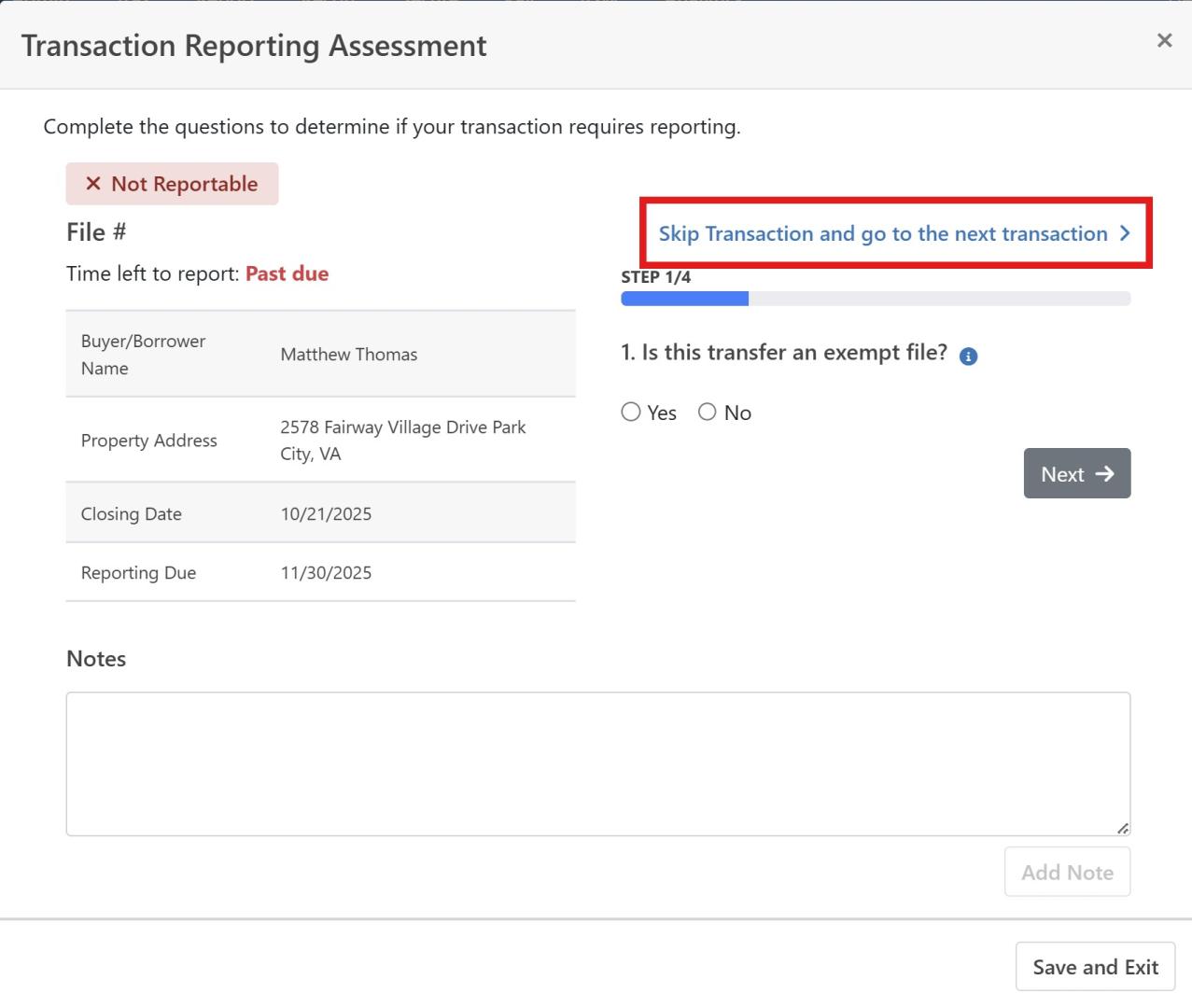
Enhanced Navigation: “Skip and go to the next transaction”
A new Skip and go to next transaction option has been added to the FinCEN assessment workflow. This enhancement allows users to move directly to the next transaction in their assessment with a single action, streamlining review and improving overall efficiency.
This update helps users maintain momentum in their assessments by reducing extra clicks and keeping the workflow smooth and continuous.
This feature can be accessed by opening the FinCEN report, selecting an Assessment on the Not Reviewed tab and clicking Skip and go to the next transaction.