Rynoh Software Bundle Release Notes
Release: January 5, 2026
New Features
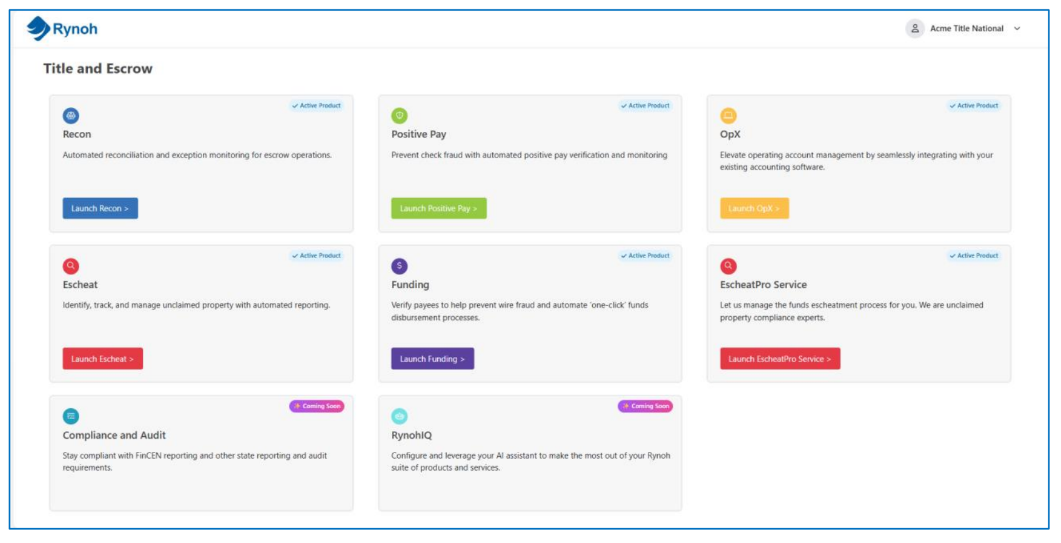
New Product Hub
We’re thrilled to introduce the Rynoh Product Hub, your new central home for everything Rynoh. Designed with simplicity and clarity in mind, the Hub brings all your products and services together in one clean, visual dashboard. Instantly see what’s in your current bundle, explore new offerings, and get a preview of what’s coming next. No more searching through menus or wondering what’s available—everything you need is now just one click away.
The new Product Hub empowers you to unlock the full value of Rynoh. From discovering new tools to managing existing services, it’s all about giving you a faster, smarter, and more intuitive experience. We’re excited to roll this out and can’t wait for you to see how it helps you get more done, more efficiently, with even more innovations coming your way soon.
RynohRecon
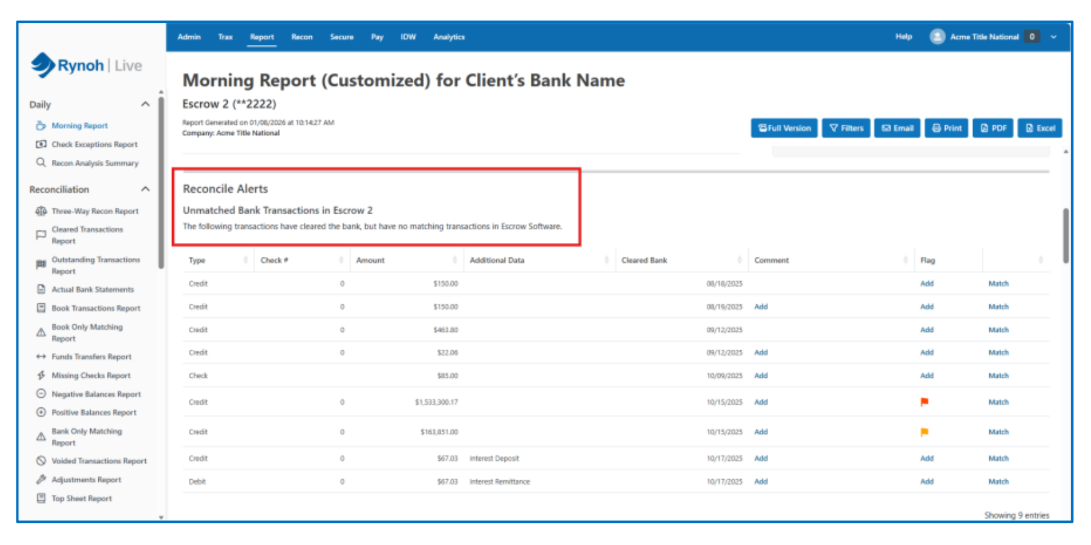
Enhanced Morning Report Reconciliation Alerts Navigation
We’ve introduced a new workflow improvement that returns users to the top of the Reconciliation Alerts section after matching transactions. This update streamlines high‑volume reconciliation tasks by eliminating unnecessary scrolling and reducing interruptions when working through large reports. With faster transitions and a smoother review experience, users can stay focused and maintain momentum as they resolve alerts more efficiently.
 RynohEscheat
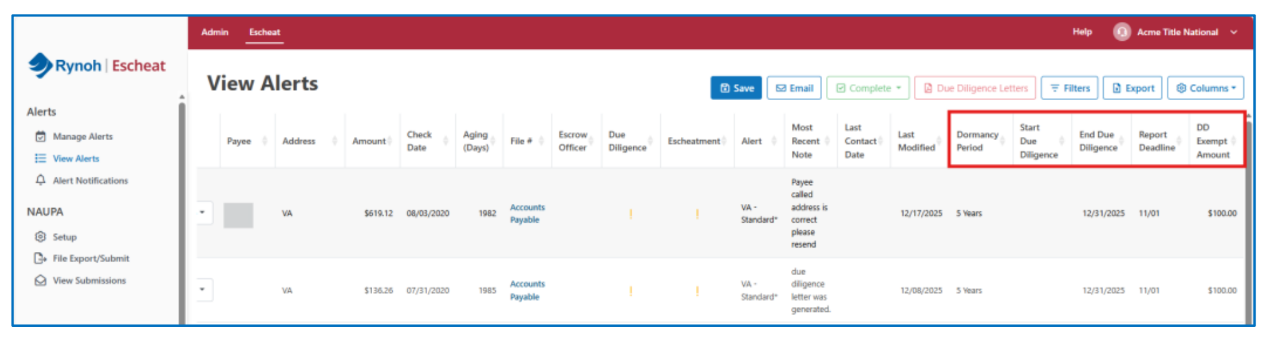
Additional Columns Now Available in Escheat Alerts
To enhance visibility and streamline compliance review workflows, we’ve expanded the customization options within the Escheat > View Alerts dashboard. Users can now select from a set of new optional columns—including dormancy period, due diligence start and end dates, report due date, and due diligence exemption amount—providing deeper insight directly within the alerts list. These added fields make it easier to export, analyze, and validate compliance data without manual cross‑referencing, helping teams work more efficiently and confidently across their escheatment processes.
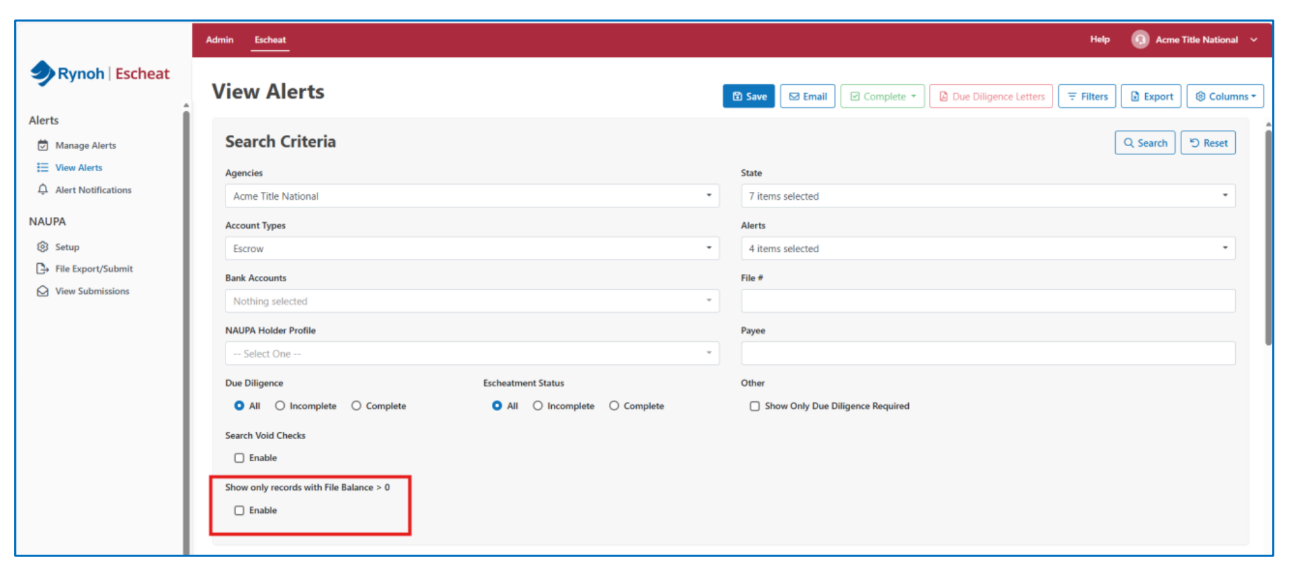
New File Balance Filter in Escheat Alerts
To help users focus more efficiently on actionable items, we’ve added a new “Show only records with File Balance > 0” filter to the Escheat > View Alerts search criteria. This optional checkbox quickly narrows results to alerts that still require attention, reducing manual scanning and improving review productivity. The filter works seamlessly with existing search controls and can be reset at any time to return to the full results set, ensuring a flexible and streamlined alert‑management experience.