
Rynoh Software Bundle Release Notes
Release: September 1, 2026
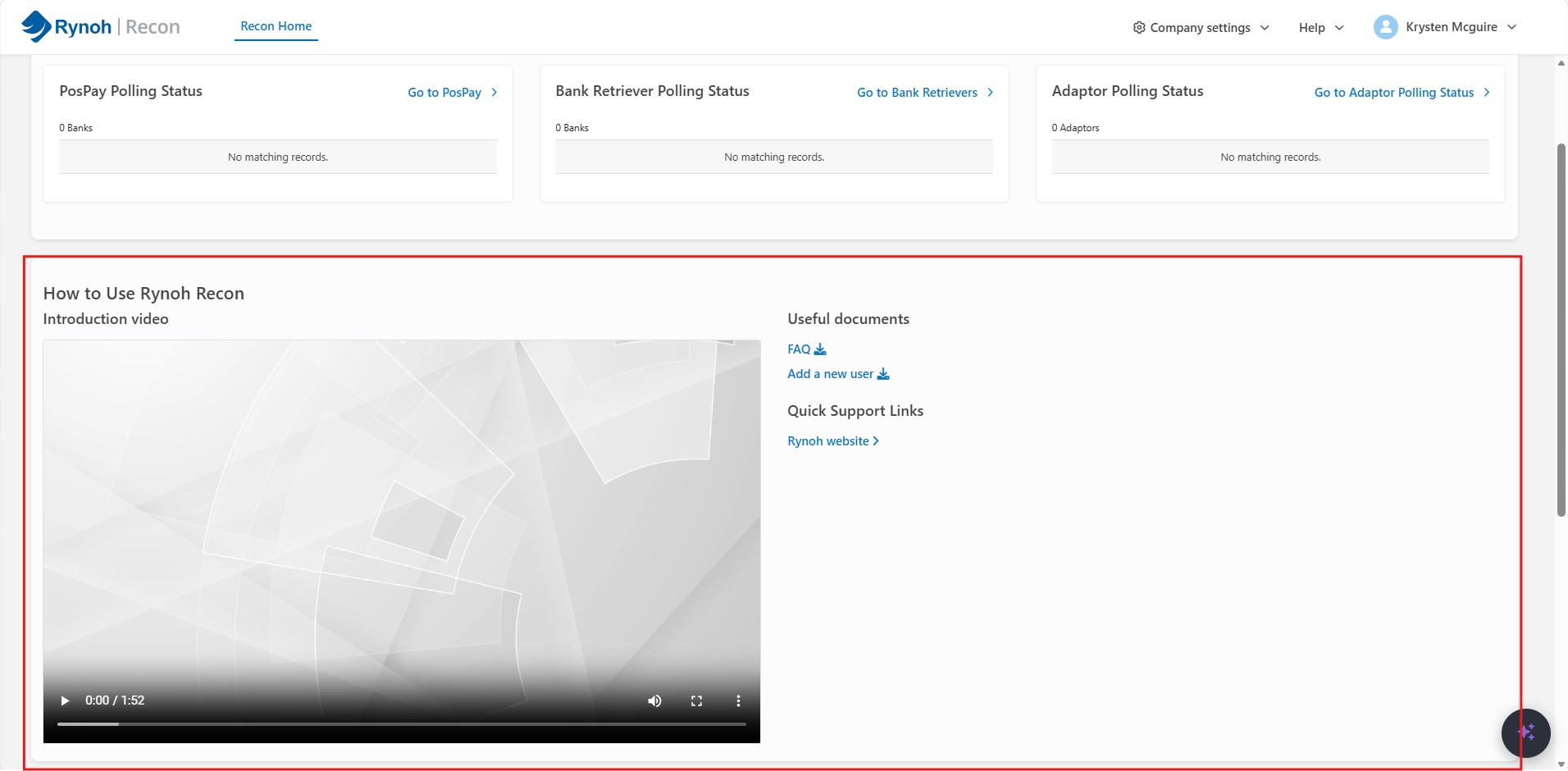
New “How to Use” Help Resource
We’ve introduced a new “How to Use” contextual help resource, now available on module landing pages across Escheat, Funding, PosPay, Build, and OpX. Each module now includes a short how-to video, downloadable quick-reference documents, and quick links to helpful resources — all in one place, right where you’re working — so you can find answers without leaving the page.
Recon
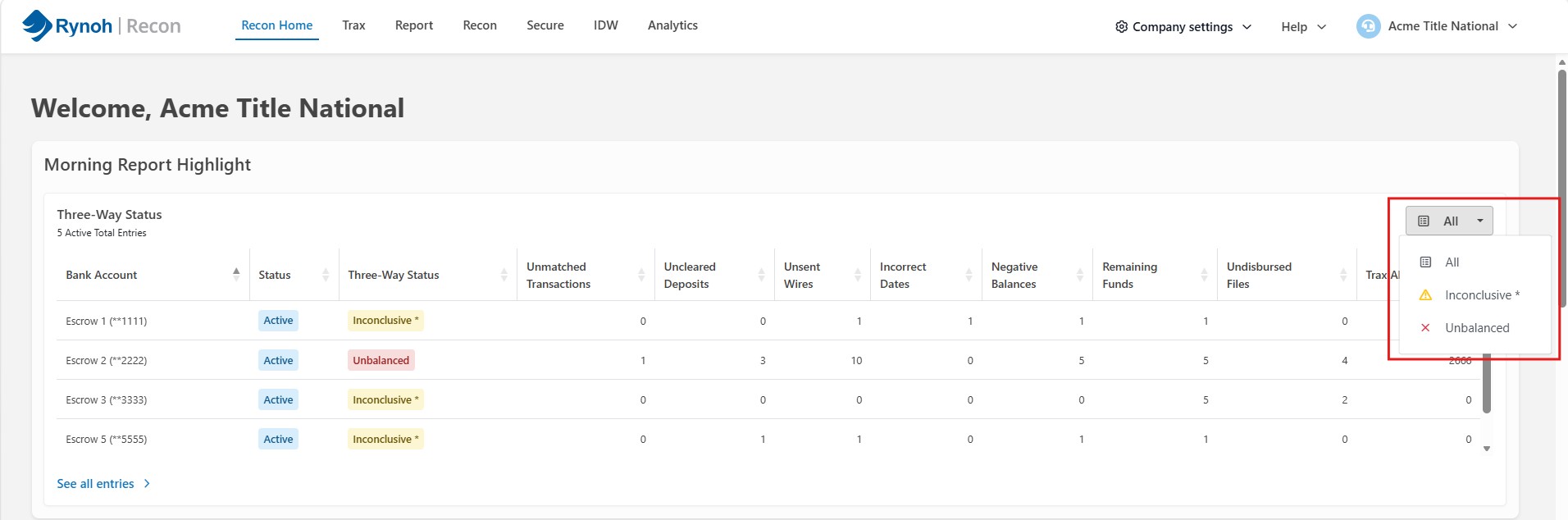
Morning Report Highlight Dropdown Overflow Fix
We fixed an issue on Recon Home where the Morning Report Highlight dropdown did not display properly within its container, causing some options to be cut off. The dropdown now displays fully and correctly.
Escheat
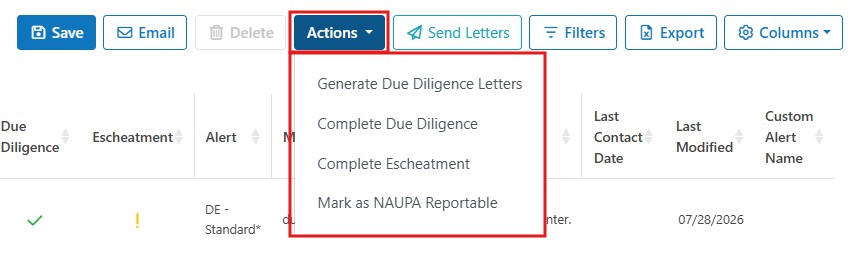
Escheat – New Consolidated Actions Dropdown
We’ve introduced a new Actions dropdown in Escheat that consolidates several transaction-level actions into a single menu. Users can now select transactions and bulk update them to generate due diligence letters, complete due diligence, complete escheatment, or mark as NAUPA reportable (for voided transactions) — all from one place, streamlining the workflow for managing multiple transactions at once.
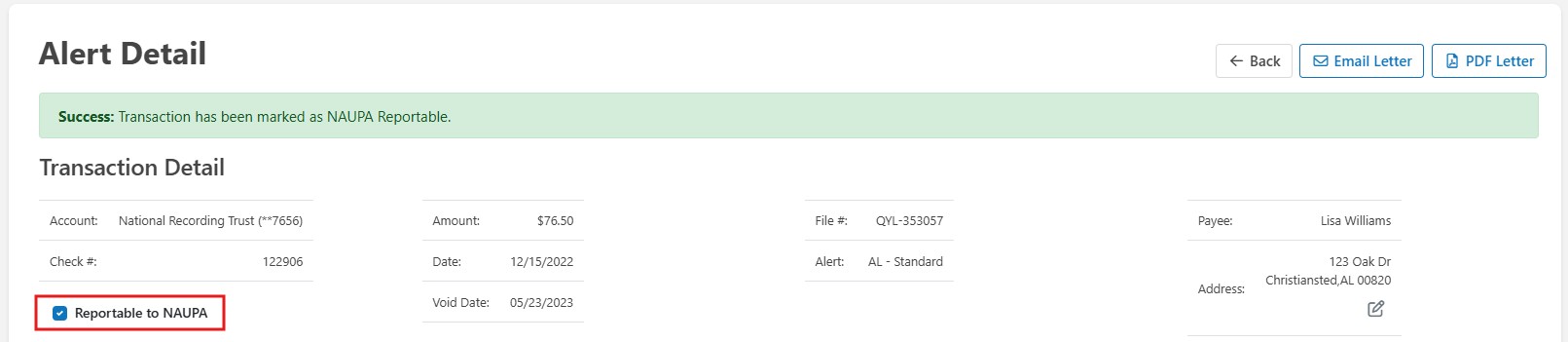
Search and Mark Voided Checks for NAUPA Reporting
We’ve added the ability to search for voided checks in Escheat and mark them as escheatable. The check number, amount, and void date are now fully persisted on the transaction record and automatically included in your NAUPA reports, removing the need to track and add escheatable voided checks manually outside of Rynoh.
Partial Match Search for File # and Payee
We’ve added partial match search support to the View Alerts screen in Escheat. Users can now enter a partial file number or payee name and see all matching records, rather than needing to enter an exact value, making it faster and easier to locate the records you need.
Funding
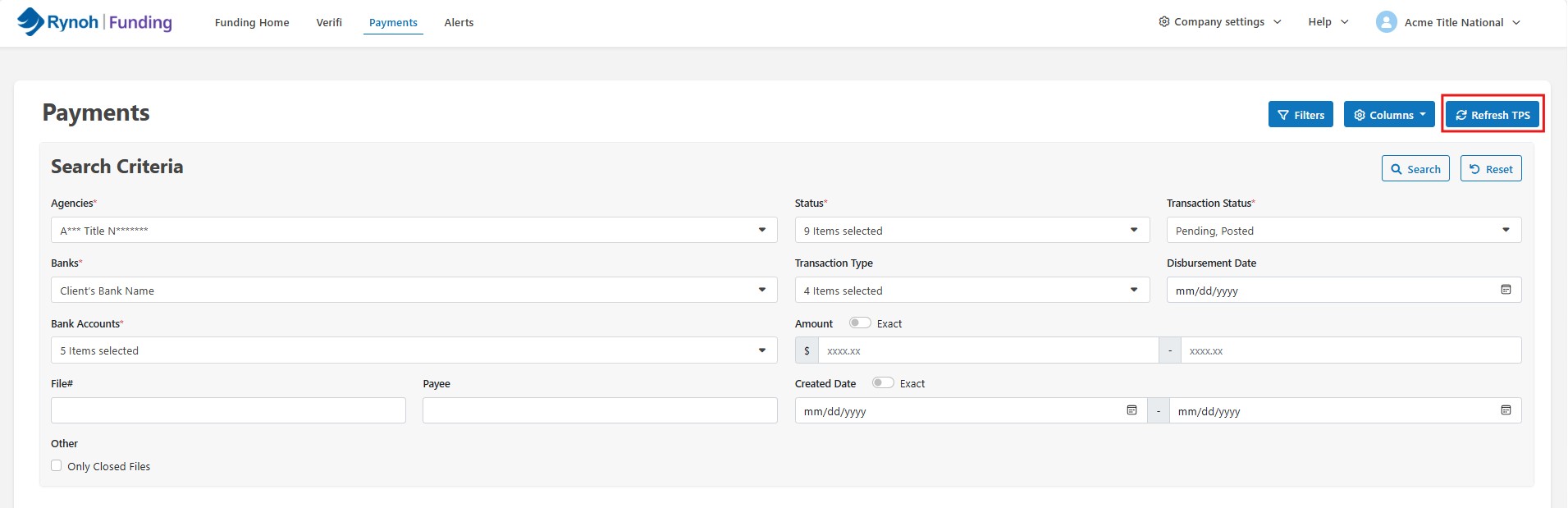
Refresh/Wake-Up Option Added to Funding
We’ve added a refresh/wake-up option to the Funding module, giving users the ability to pull updated data directly from their title production system without leaving Funding. This removes the need to exit Funding, trigger a refresh in Recon, and return — reducing a multistep process to a single click in the module where you’re already working.
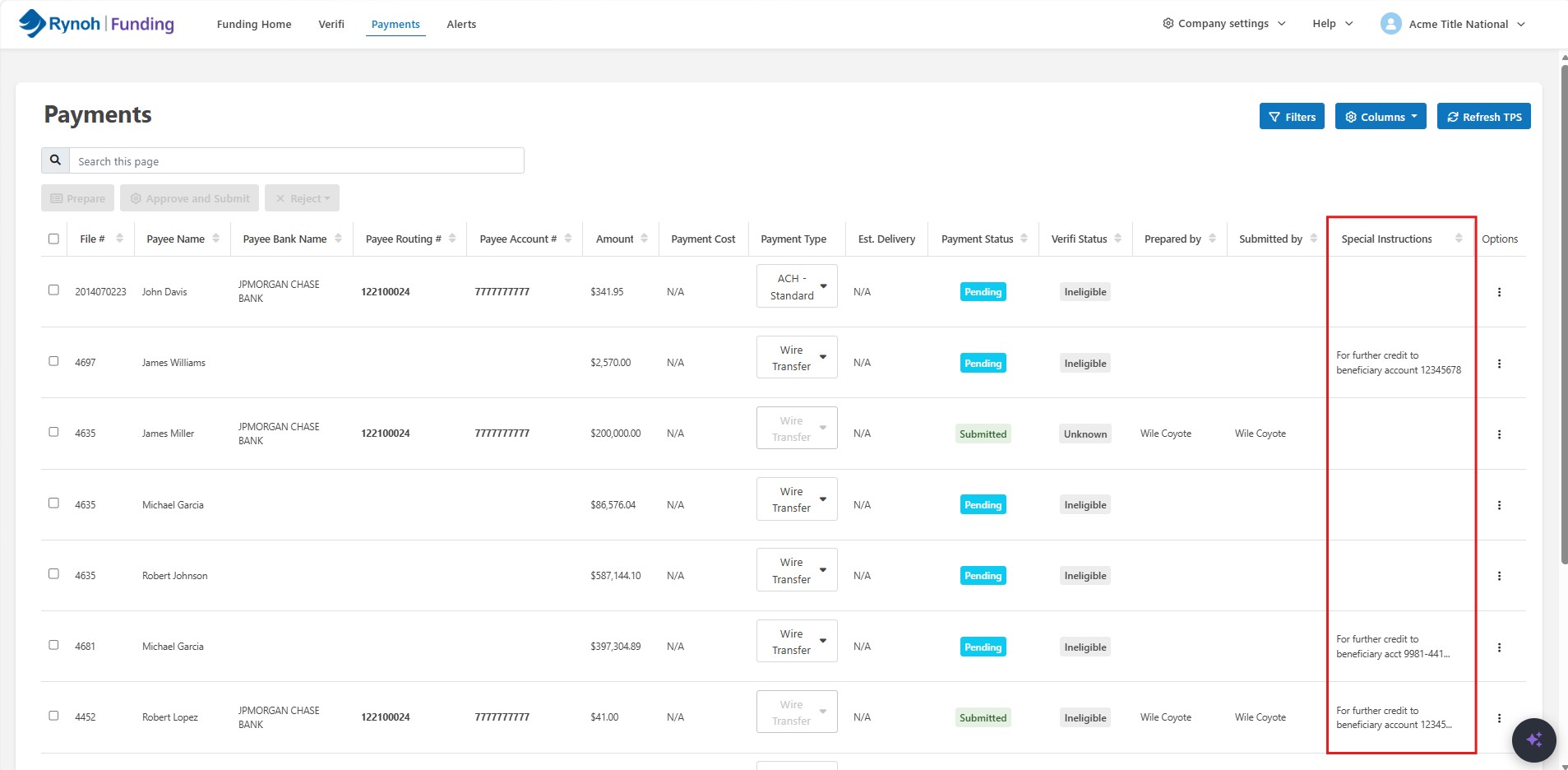
New “Special Instructions” Column in Payments Table
We’ve added a new “Special Instructions” column to the Payments table in Rynoh Funding, positioned after “Submitted by.” This column surfaces any special wire handling instructions tied to a payee’s bank details directly within the table, so you can confirm special handling requirements without leaving the page.
Manage Accounts – Approver/Preparer Fix
We fixed an issue in Rynoh Funding’s Manage Accounts where removing an account did not also remove its associated approvers and preparers. This has been corrected so that access is properly and fully removed when an account is taken out of Funding.