
Rynoh Software Bundle Release Notes
Release: August 4, 2026
Recon
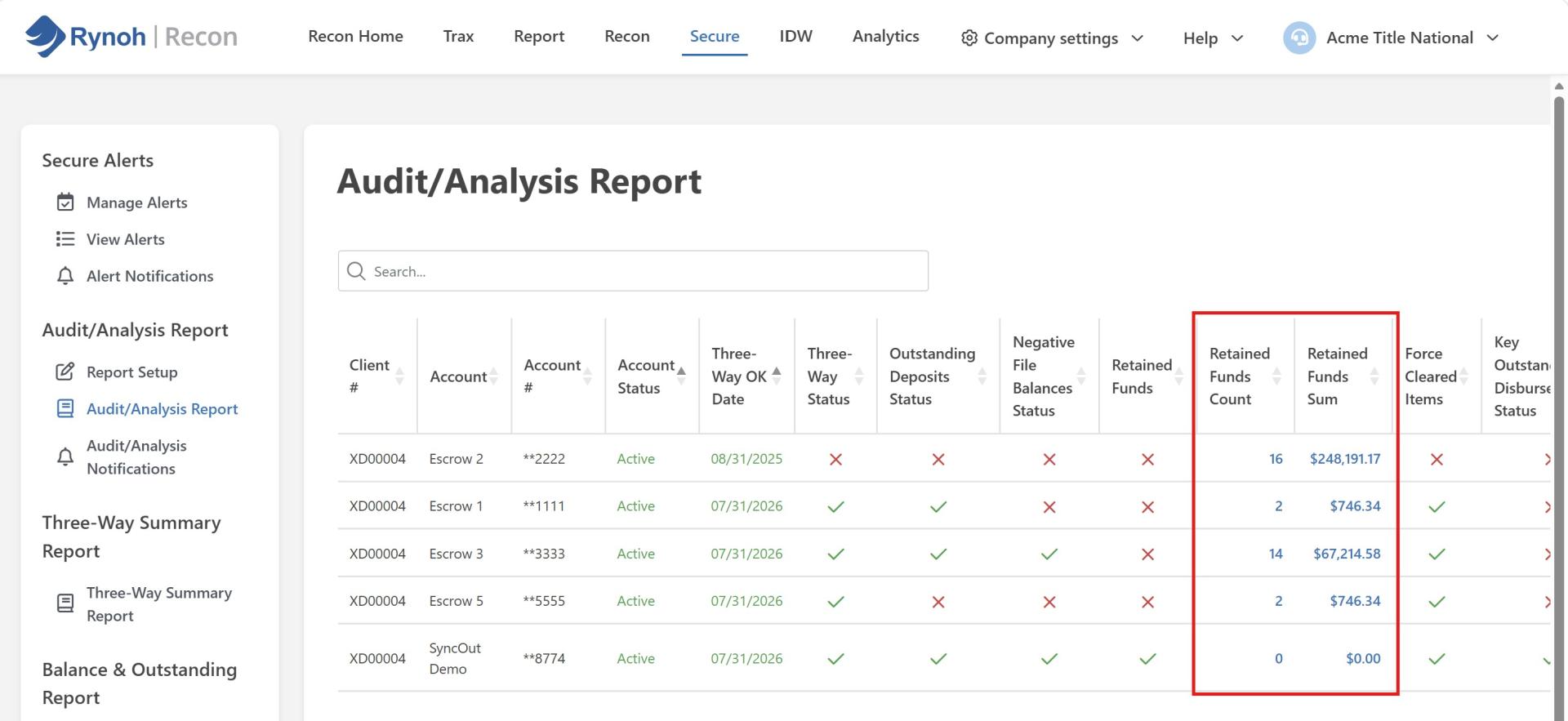
Retained Funds Count and Sum Columns – Audit/Analysis Report
The Audit/Analysis Report now includes two new columns — Retained Funds Count and Retained Funds Sum — giving users better visibility into the number and total dollar value of retained funds associated with each escrow account. Both columns can be shown or hidden using the existing Columns dropdown, the same way other columns in the report are managed, and your visibility preferences will be remembered the next time you return to the report.
Escheat
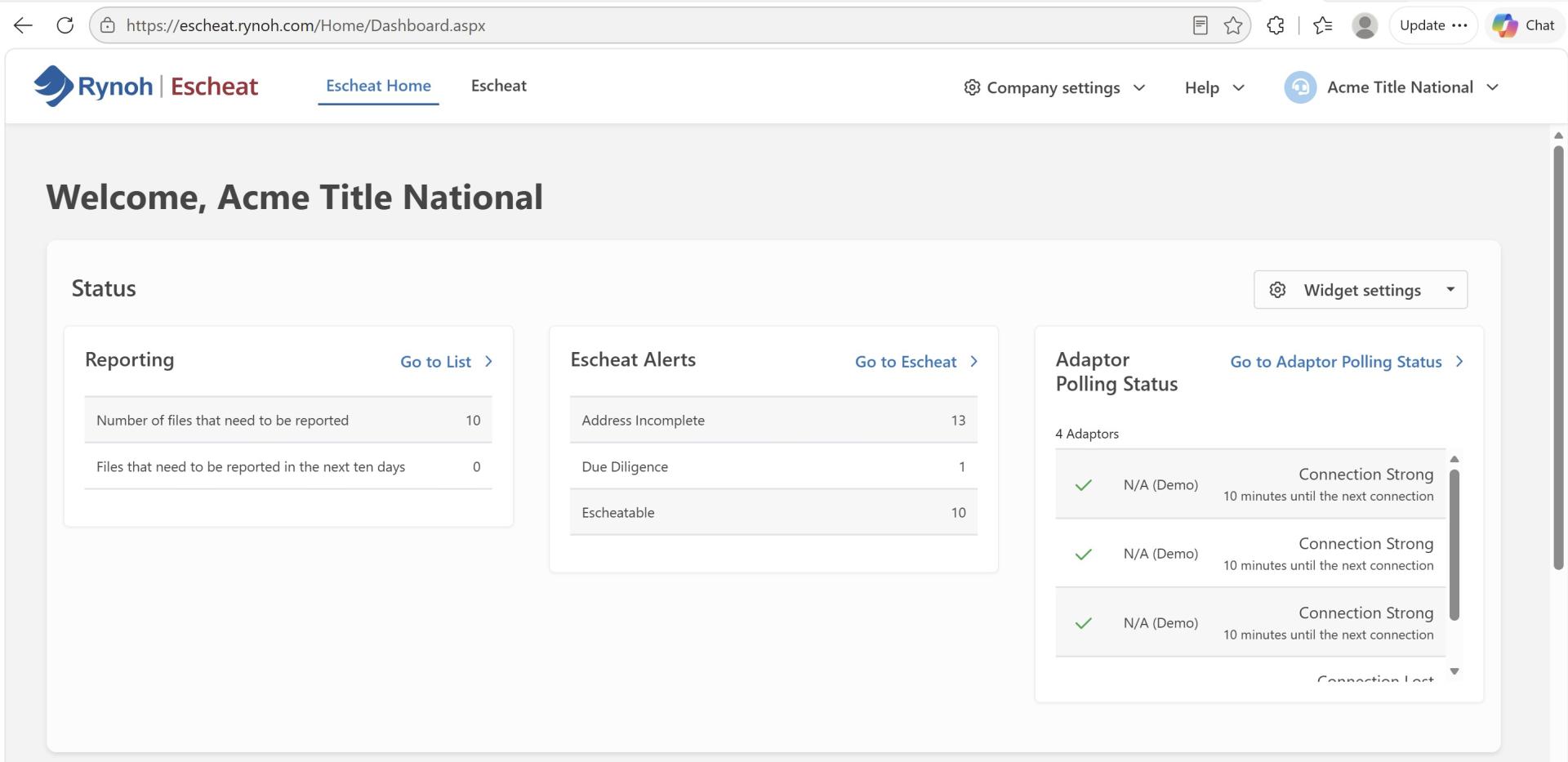
Escheat Home – New Reporting Widget
A new Reporting widget on the Escheat Home page gives users an at-a-glance view of how many files need to be reported and how many are due within the next ten days, scoped to the agency they’re currently supporting. A convenient “Go to List” link takes users directly to the View Alerts screen so they can act on their reporting workload right away. If the widget doesn’t appear on your dashboard, you can add it manually from “Widget settings.”
Funding
New Rynoh Funding Disbursement Experience
Rynoh Funding introduces a new disbursement experience. Clients will see an enhanced Payments screen that guides them through initiating a disbursement — selecting a recipient and funding source, choosing a payment rail (ACH Standard, ACH Expedited, or Wire) with live pricing and estimated delivery time, and reviewing a full cost breakdown before sending. Larger disbursements will route through an approval step for additional oversight before funds are sent.
A guided onboarding process now accompanies disbursement setup. Business representatives — such as an Account Admin, Controller, or Beneficial Owner — each receive their own secure, one-time link by email to provide their information, and the Account Admin completes the final review and authorization. This keeps sensitive information secure and streamlines onboarding without requiring the same data to be entered more than once.
OpX Accounts Not Displaying in Funding Module
OpX accounts that had OpX and Funding access enabled were sometimes missing from the Funding module — this has been resolved, and OpX accounts now display correctly in the Funding module and its Verify tab.
Login & Security
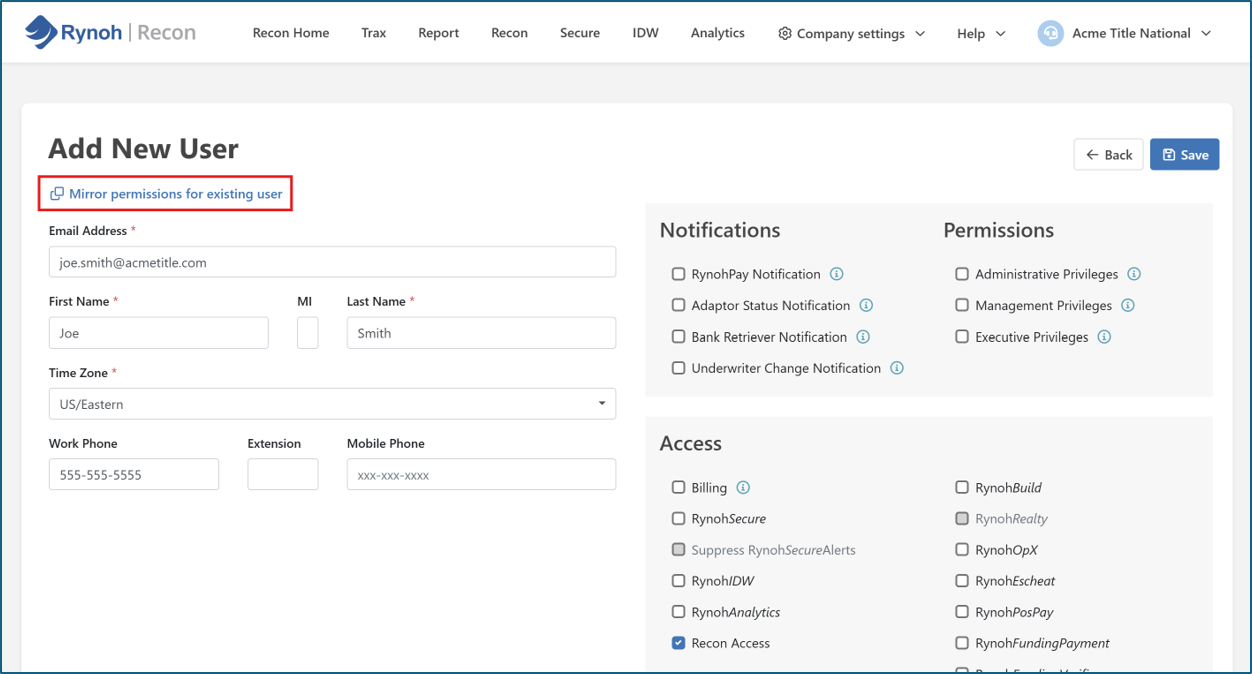
Clone an Existing User During New-User Setup
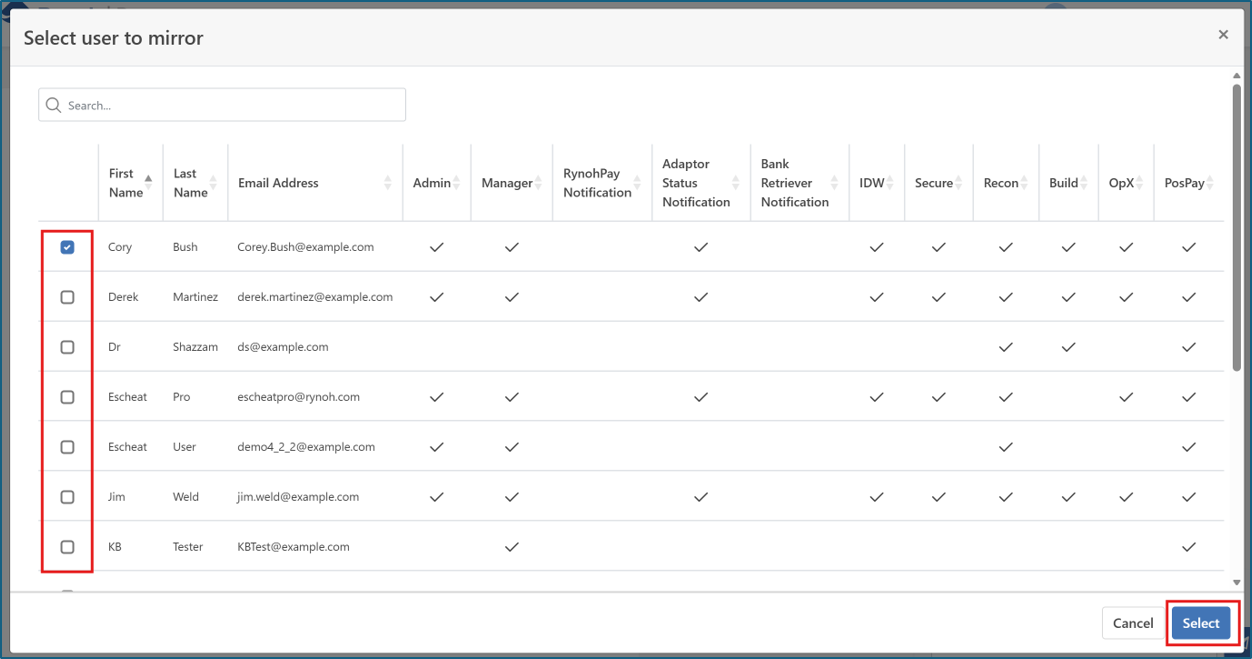
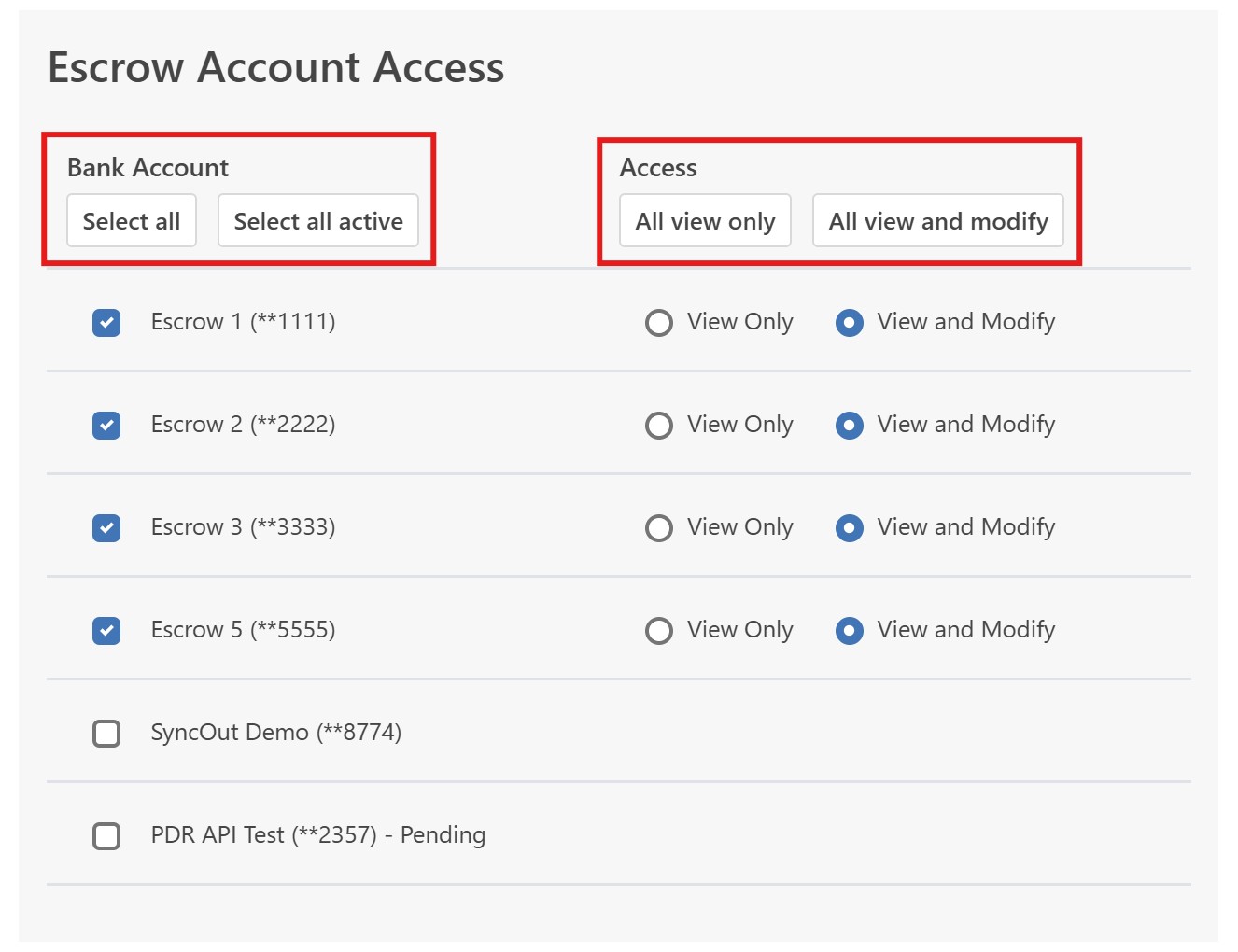
A new “clone existing user” option speeds up new-user setup. When creating a new user, admins can now select an existing user within their own company as a starting point — the new user’s permission profile and active escrow account access will be pre-populated for review, saving significant setup time. All pre-populated selections remain fully editable before saving, and only active escrow accounts (not closed ones) are included by default.
How to use it:
- Under “Add new user,” click Mirror permissions for existing user.

- Select the user you wish to mirror.

- Use the quick actions to select All accounts or All active accounts, and the permissions.

Subsidiary Review Appearing in Two Locations
We fixed an issue where “Subsidiary Review” appeared in both its standard application menu and under user settings. Subsidiary Review no longer appears under user settings, removing the duplicate entry.
Repeated Authentication Code Prompt on Sync Login
Users on the Sync login flow were being repeatedly prompted for an authentication code on every login, even with “Remember Me” selected. This has been fixed, bringing the Sync login experience in line with the fix previously delivered on the Live side.