
Rynoh Software Bundle
Release Notes
Release: June 30, 2026
New Features & Fixes
Platform-Wide
Sticky Table Headers Rolled Out Across Rynoh
We’ve implemented frozen (sticky) table headers across Recon, Escheat, PosPay, OpX, Build, and Funding tables platform-wide. Column headers now remain visible while scrolling both vertically and horizontally, making it easier to reference column names when reviewing data anywhere on the platform. This update delivers a more consistent, easier-to-navigate experience across every module.
“Home” Navigation Moved to the Top Header
We moved the Dashboard menu item to the top header and renamed it to reflect the module you’re in (for example, “Recon Home” or “Escheat Home”) for more intuitive navigation. When Home is selected, the side menu is hidden to give the main content more room, and it reappears automatically when you navigate elsewhere.
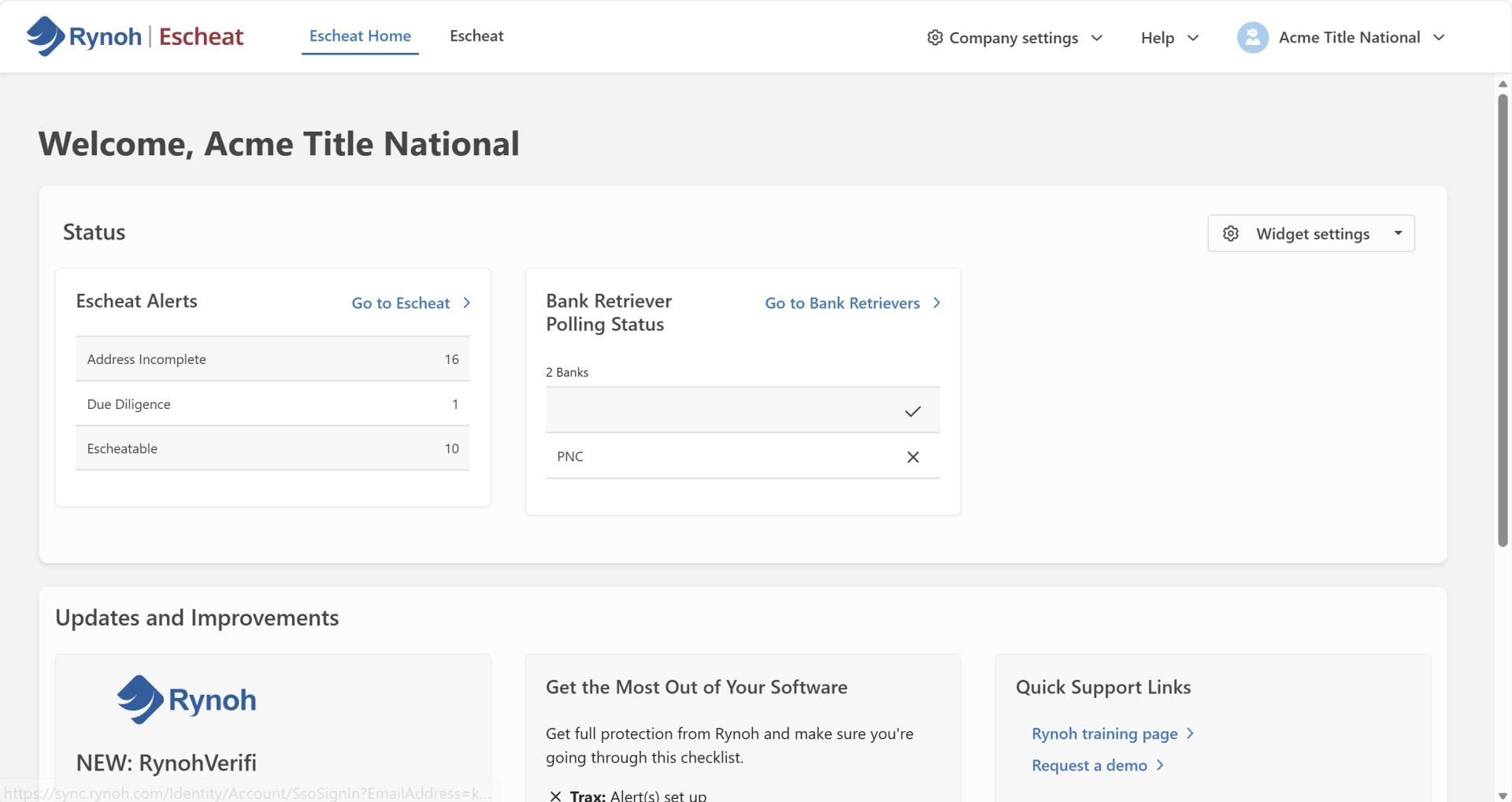
Refreshed Side Menu and Top Header
We refreshed the visual design of the side menu and top header across the platform, including updated icons, spacing, and hover and active states, for a more modern and consistent look and feel. Each menu item also now displays a colored underline when active, matching the product area you’re in.
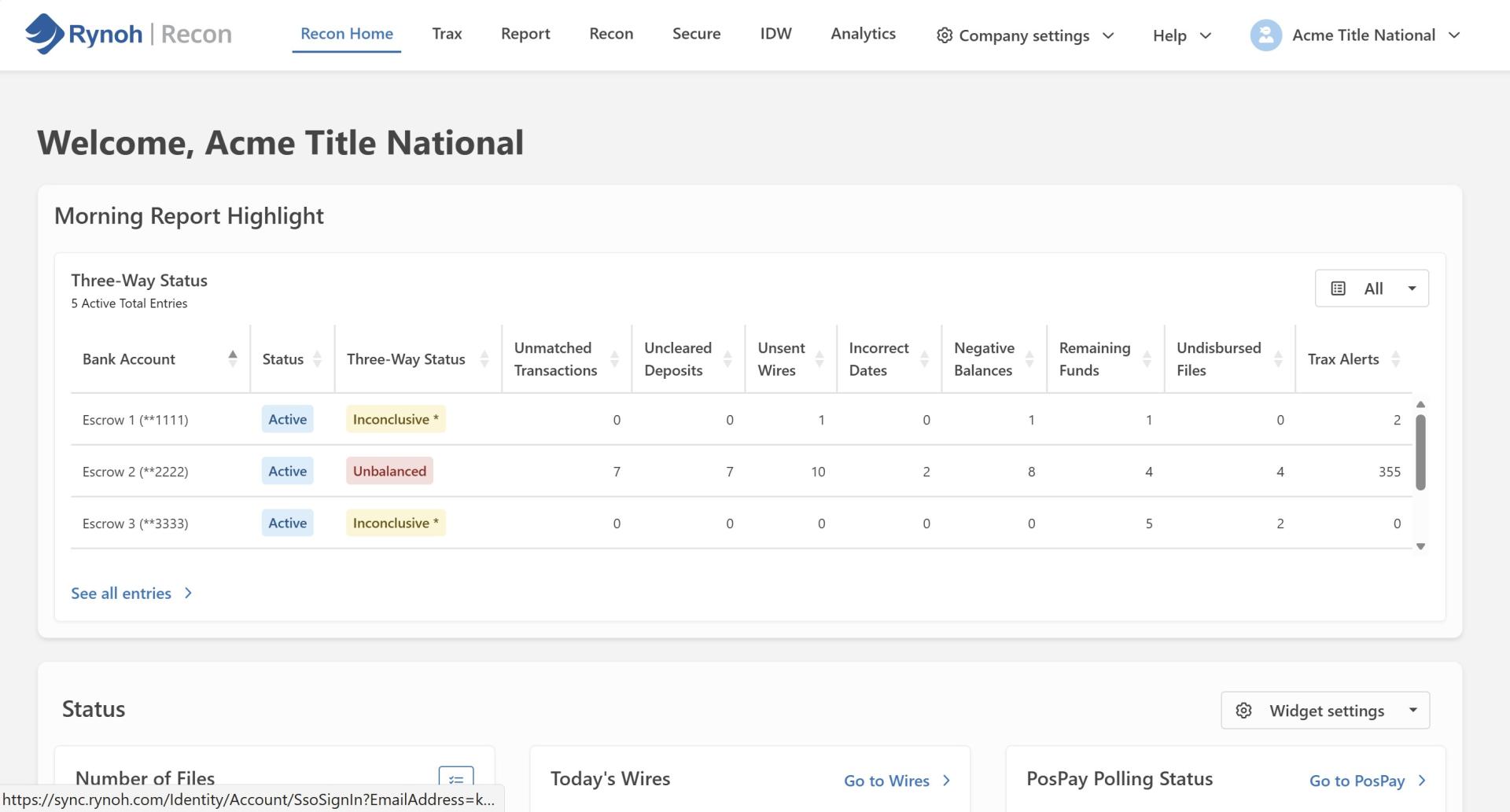
Product Hub Visual Refresh
We updated the Product Hub color palette to a gray background with white cards for improved visual contrast and a more polished, modern look.
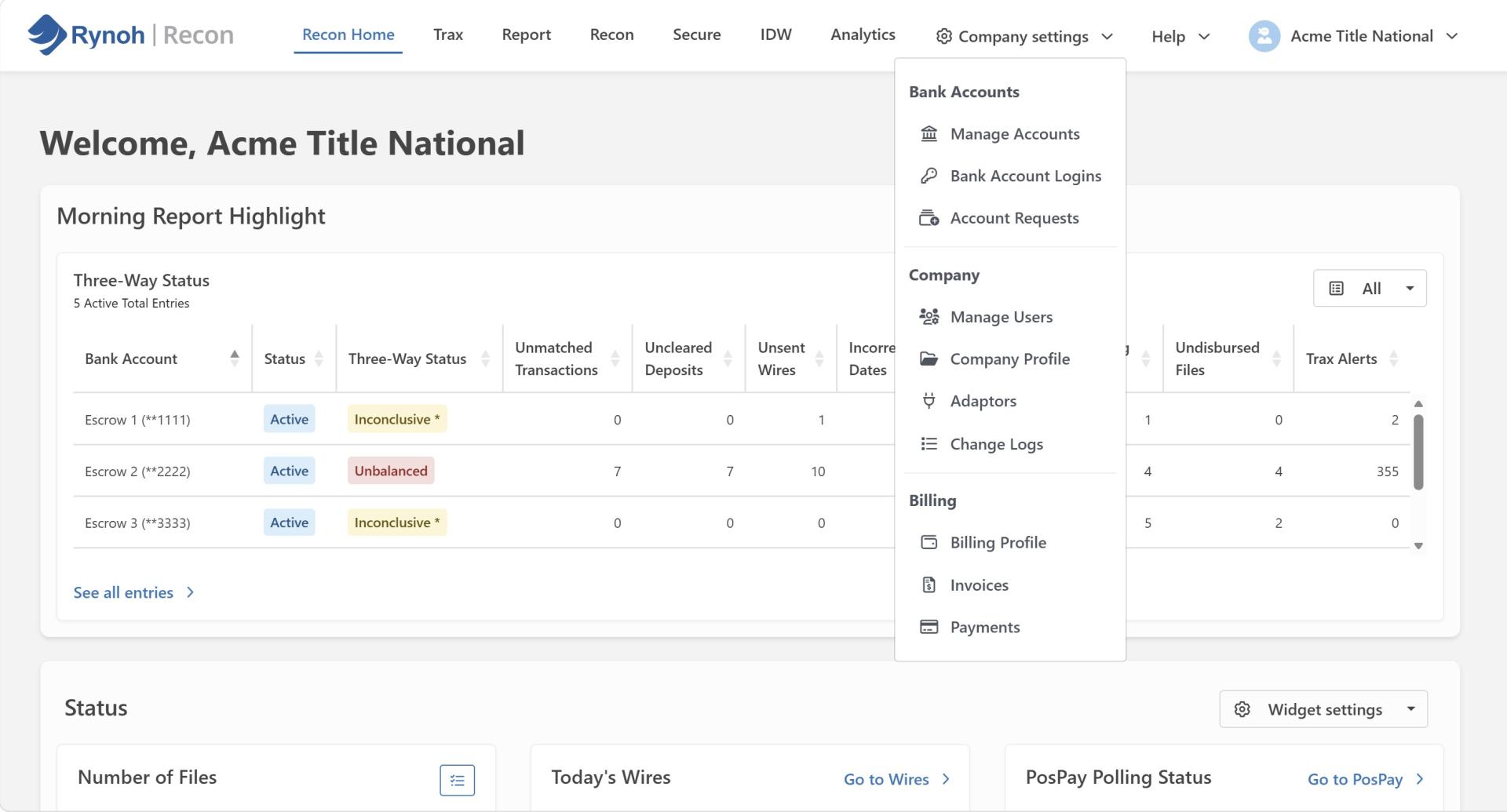
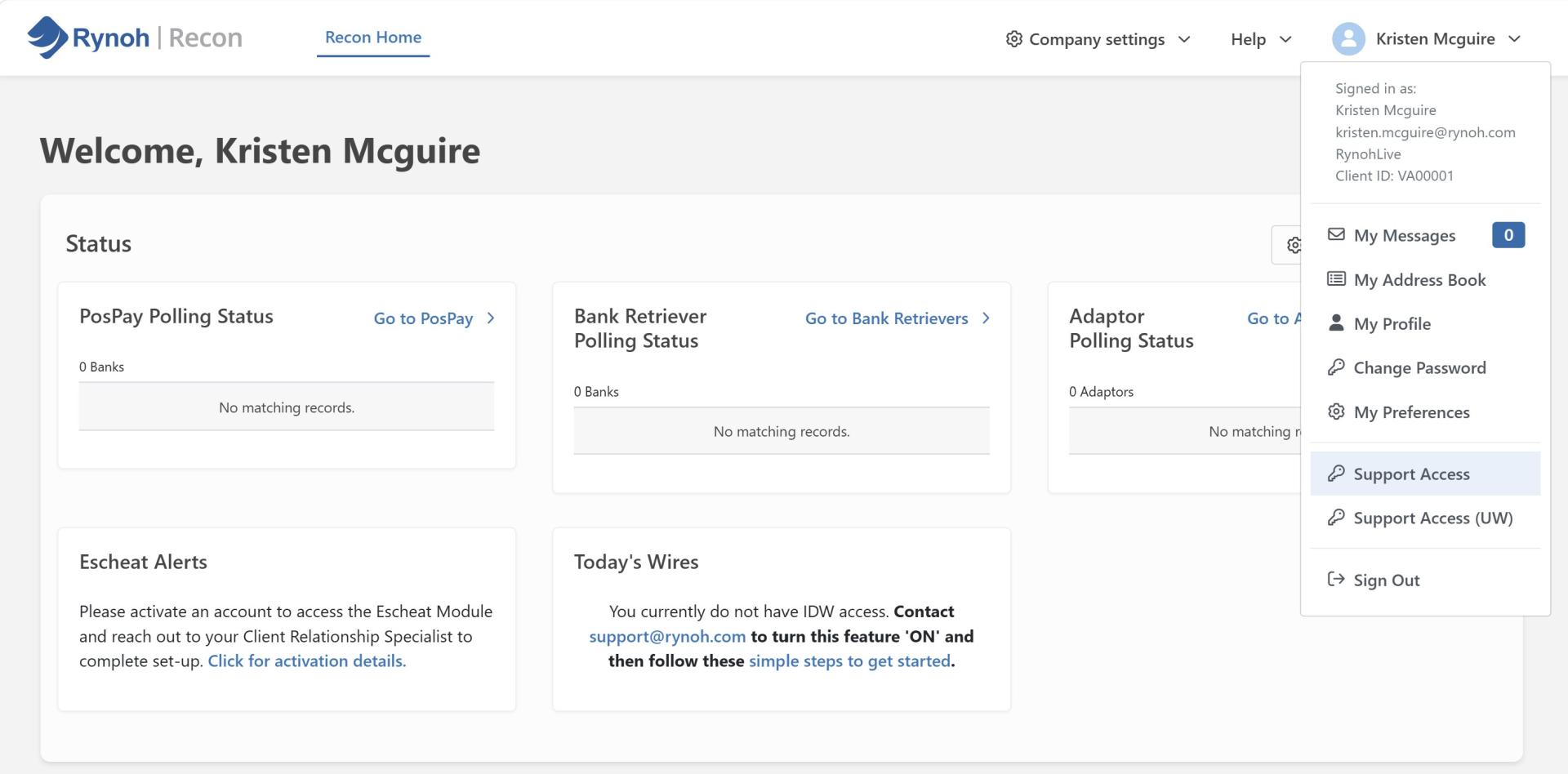
Support Access and Company Profile have been
Support Access and Company Profile have been relocated from each module’s Admin page into the user profile and top head menu, making it easier to find and use from anywhere in the platform. Support Access now applies consistently across all modules available to the account being assisted, displays branding that matches where it was launched, and returns you to the page you were previously on when you use it.
Recon
Subsidiary Review Completion Fix
We fixed a high-priority issue in Rynoh Recon where ending a subsidiary review did not complete the review as expected. Subsidiary reviews now end successfully, allowing the reconciliation workflow to complete without interruption.
PosPay
PosPay Is Now Its Own Dedicated Module
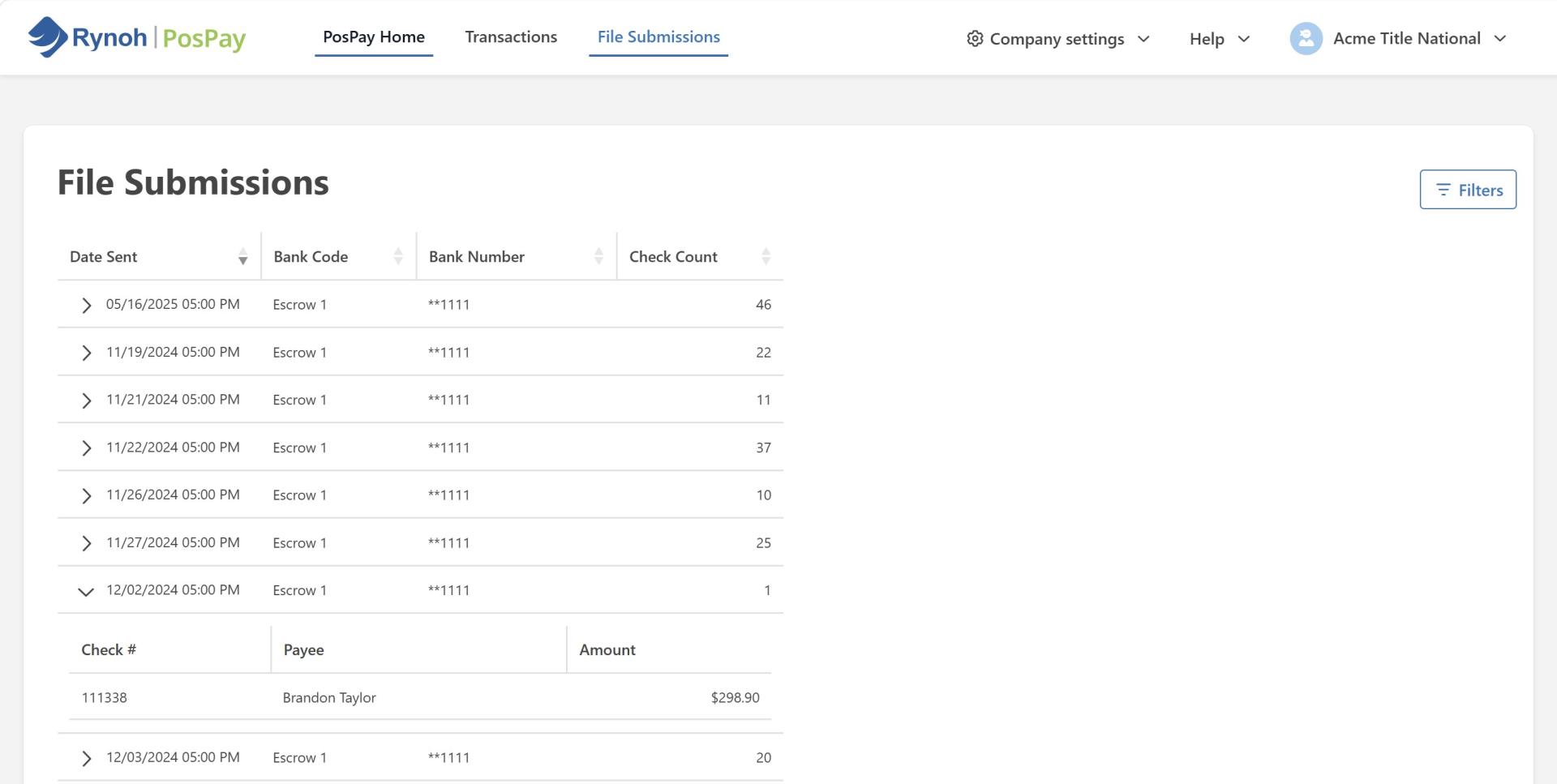
PosPay has been elevated to its own dedicated module within the primary navigation, bringing Transactions and File Submissions together in one central location. The previous “Pay” tab has been removed from other modules, such as Recon and Build, giving users a single, consistent place to manage all Positive Pay activity. We have:
- Created its own PosPay Home page
- Moved Transactions and File Submissions to their own dedicated reporting page
- Streamlined the File Submissions column layout
Escheat
NAUPA View Submissions Fix
We resolved an error that occurred when saving a submission date within the Escheat NAUPA View Submissions screen. Users can now update and save submission dates without encountering an error, ensuring accurate recordkeeping.
Funding
Manage Accounts Link Fix
We fixed an issue where the Manage Accounts link within Rynoh Funding was not functioning as expected. Users can now successfully navigate to Manage Accounts from Company Settings, restoring expected functionality.
Login & Security
Authentication Code Prompt Fix
We fixed an issue where users were repeatedly prompted for an authentication code at login, even when the “Remember for 3 Days” option was selected. Login now correctly honors the 3-day remember option, reducing unnecessary authentication prompts.
QuickBooks
QuickBooks Sync Interval Fix
We fixed an issue preventing QuickBooks from syncing at the expected 15-minute interval. QuickBooks data now syncs reliably on schedule, helping ensure financial data stays up to date.